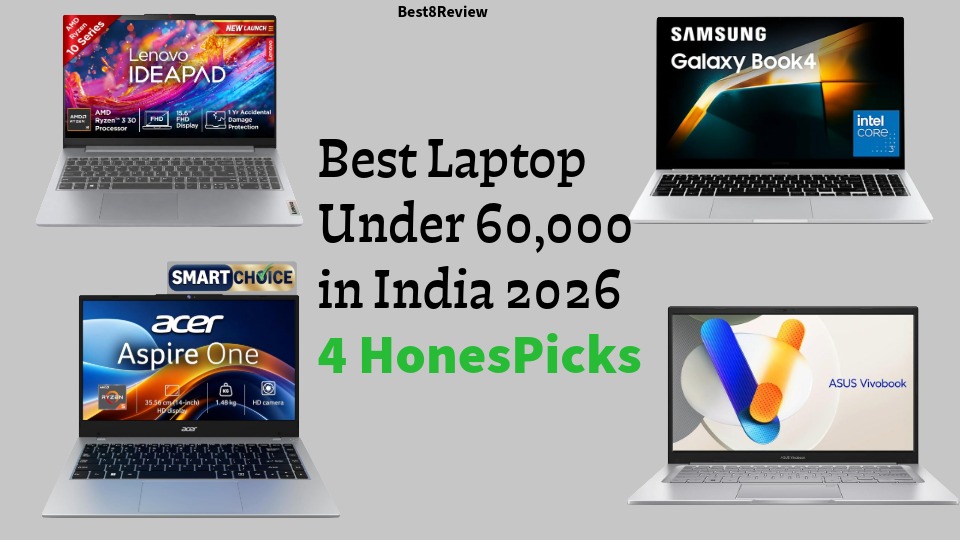

Best Laptop for Coding and Programming in 2026: Finding the best laptop for coding and programming is not really about chasing the flashiest specs sheet. It comes down to three things that actually affect your daily workflow: enough RAM to run your IDE, a browser with thirty tabs, and Docker at the same time without freezing, a processor that compiles code and handles virtual machines without sounding like a jet engine, and a keyboard and screen you can stare at for eight hours without your eyes or wrists complaining.
We looked at seven laptops currently listed on Amazon India, spanning entry level AMD chips all the way up to a Snapdragon ARM machine and a brand new Intel Core Ultra model with a built in NPU, and broke down exactly where each one shines and where it falls short for programming work.
Affiliate Disclosure: This post contains affiliate links. If you buy through one of these links, we may earn a small commission at no extra cost to you. We only recommend products based on genuine research and specifications, and this never affects our opinions.
What Actually Matters When You Buy a Laptop for Coding
Before jumping into the list, it helps to know what to prioritise. A lot of buying guides push you toward gaming laptops with big GPUs, but unless you are training machine learning models locally, a discrete GPU is rarely the deciding factor for day to day programming.
- RAM: 16GB is the realistic minimum in 2026 if you run Docker, an emulator, or several browser tabs alongside your editor. 8GB will work for basic scripting but starts to choke fast once you open a second heavy application.
- Processor: Look for at least a recent generation Intel Core i5 H series, a Ryzen 5 or above, or an Apple Silicon equivalent. H series chips (like the i5-13420H or i7-13620H used below) have more cores than the U series chips found in ultra thin laptops, which matters for compiling and running containers.
- Storage: A 512GB NVMe SSD is the sweet spot for most developers. Anything below 256GB fills up fast once you add node_modules folders, virtual environments, and a few IDEs.
- Display: A 15 to 16 inch screen with at least Full HD resolution reduces eye strain and lets you view more code at once. A taller 16:10 aspect ratio, like the ones on a couple of laptops below, is genuinely useful for reading long files.
- Battery and build: If you code from cafes, libraries, or during commutes, battery life and weight matter more than raw benchmark numbers.
- Keyboard: A backlit keyboard is not a luxury feature if you code at night. It is worth prioritising over a slightly faster clock speed.
Quick Picks If You Are Short on Time
- Best overall value: ASUS Vivobook 15 X1502VA-BQ836WS (Core i5-13420H, 16GB, 512GB)
- Best for heavy compiling and multitasking: Lenovo IdeaPad Slim 3 (Core i7-13620H, 16GB, 512GB)
- Best display for long coding sessions: ASUS Vivobook 16 OLED X1605VA-SH1952WS
- Best battery life: HP OmniBook 5 OLED (Snapdragon X)
- Best budget pick: Dell 15 (Core i3 / Core 3 100U, 16GB RAM)
- Best future ready pick with an NPU: ASUS Vivobook 16 X1607CA-MB142WS (Intel Core Ultra 5 225H)
1. HP 15 (fc0154AU) – Best Ultra Budget Option
This is the cheapest entry on the list, built around an AMD Ryzen 3 7320U, 8GB of LPDDR5 RAM, and a 512GB SSD in a 15.6 inch anti glare FHD body weighing 1.59kg. It is aimed at students who are just starting out with programming basics rather than professionals running heavy toolchains.

Pros
- Genuinely low price point, one of the most affordable laptops on this list
- Fast 512GB NVMe SSD despite the budget positioning
- Light at 1.59kg, easy to carry to class or a co working space
- AMD Radeon integrated graphics handle basic UI work and video calls without issue
Cons
- Only 8GB RAM, which gets tight the moment you open Docker or Android Studio alongside your editor
- Ryzen 3 is an entry level chip, so large compile jobs and multiple VMs will slow it down
- No backlit keyboard on this configuration
- Not suited to any graphics heavy or data science workloads
2. Dell 15 (Previously Inspiron) – Best Budget Pick With 16GB RAM
Dell’s entry level 15 series pairs a 14th generation Intel Core i3 / Core 3 100U processor with 16GB of DDR4 RAM and a 512GB SSD, on a 15.6 inch FHD panel that runs at a smooth 120Hz. Getting 16GB RAM at this price point is the real selling point here, since RAM matters more than raw CPU speed for keeping a coding workflow smooth.

Pros
- 16GB RAM at a genuinely low price, unusual for this segment
- 120Hz display makes scrolling through code and browser tabs feel noticeably smoother
- Comes bundled with MS Office 2024
- Dell’s build quality is solid for the price band
Cons
- The Core i3 / Core 3 100U chip is entry level silicon, not built for heavy compiling or running several VMs
- No dedicated GPU, so anything beyond basic development work will struggle
- DDR4 memory rather than the faster DDR5 found on newer models
- Battery life is average at best under sustained coding sessions
3. ASUS Vivobook 15 (X1502VA-BQ836WS) – Best Overall Value
This is the pick most programmers should look at first. It runs a genuine 13th generation Core i5-13420H, an H series chip with 8 cores and 12 threads, paired with 16GB DDR4 RAM and a 512GB PCIe 4.0 SSD. Unlike the U series chips in the budget picks above, an H series processor is built to sustain heavier workloads like compiling, running Docker containers, or juggling multiple IDEs and terminals at once.

Pros
- 13th gen i5-13420H, an H series chip with real multi core power for compiling and multitasking
- 16GB RAM, expandable to 24GB through the SO-DIMM slot
- Backlit ErgoSense keyboard and a fingerprint reader for quick logins
- Good port selection including USB-C with Power Delivery and Wi-Fi 6E
Cons
- Battery is on the smaller side at 42Wh, expect roughly 3 to 4 hours under moderate coding load
- Display covers only around 45% NTSC color gamut, so it is not built for design or color sensitive work
- Some buyers report minor build quality issues like hinge flex over time
4. Lenovo IdeaPad Slim 3 (83K100CJIN) – Best for Heavy Compiling and Multitasking
If your work involves running several Docker containers, an Android emulator, and a couple of code editors at the same time, this is the strongest CPU on this list. It uses a 13th generation Core i7-13620H with 10 cores and 16 threads, alongside 16GB RAM and a 512GB SSD on a 15.3 inch WUXGA IPS display with a taller 1920×1200 resolution.

Pros
- Core i7-13620H with 10 cores and 16 threads handles compiling, containers, and heavy multitasking with room to spare
- Taller 16:10 WUXGA display shows more lines of code before you need to scroll
- Backlit keyboard and RAM expandable up to 24GB
- One real world user reported using it daily for full stack development without lag, even with an emulator running
Cons
- Higher power draw than the i5 machines on this list, so battery drains faster under load
- Integrated graphics only, no help for local model training or GPU accelerated work
- Can run warm under long, sustained compiling sessions
5. ASUS Vivobook 16 OLED (X1605VA-SH1952WS) – Best Display for Long Sessions
This model pairs the same capable Core i5-13420H found in pick number 3 with a 16 inch OLED panel running at 1920×1200 with 300 nits brightness and 95% DCI-P3 coverage. If you spend eight or more hours a day looking at a screen, the difference an OLED panel makes to eye comfort and text clarity is noticeable.

Pros
- OLED panel with deep blacks and accurate colors reduces eye strain over long coding sessions
- Spacious 16 inch, 16:10 screen shows noticeably more code per view than a standard 15.6 inch panel
- Same reliable Core i5-13420H processor as our top value pick
- Backlit keyboard included
Cons
- Heavier than the other options at 1.88kg
- OLED panels can be prone to burn in if you leave static menus or a code editor UI on screen at high brightness for extended periods
- 60Hz refresh rate, fine for text but nothing special
- No dedicated GPU
6. HP OmniBook 5 OLED (fb0001QU) – Best Battery Life
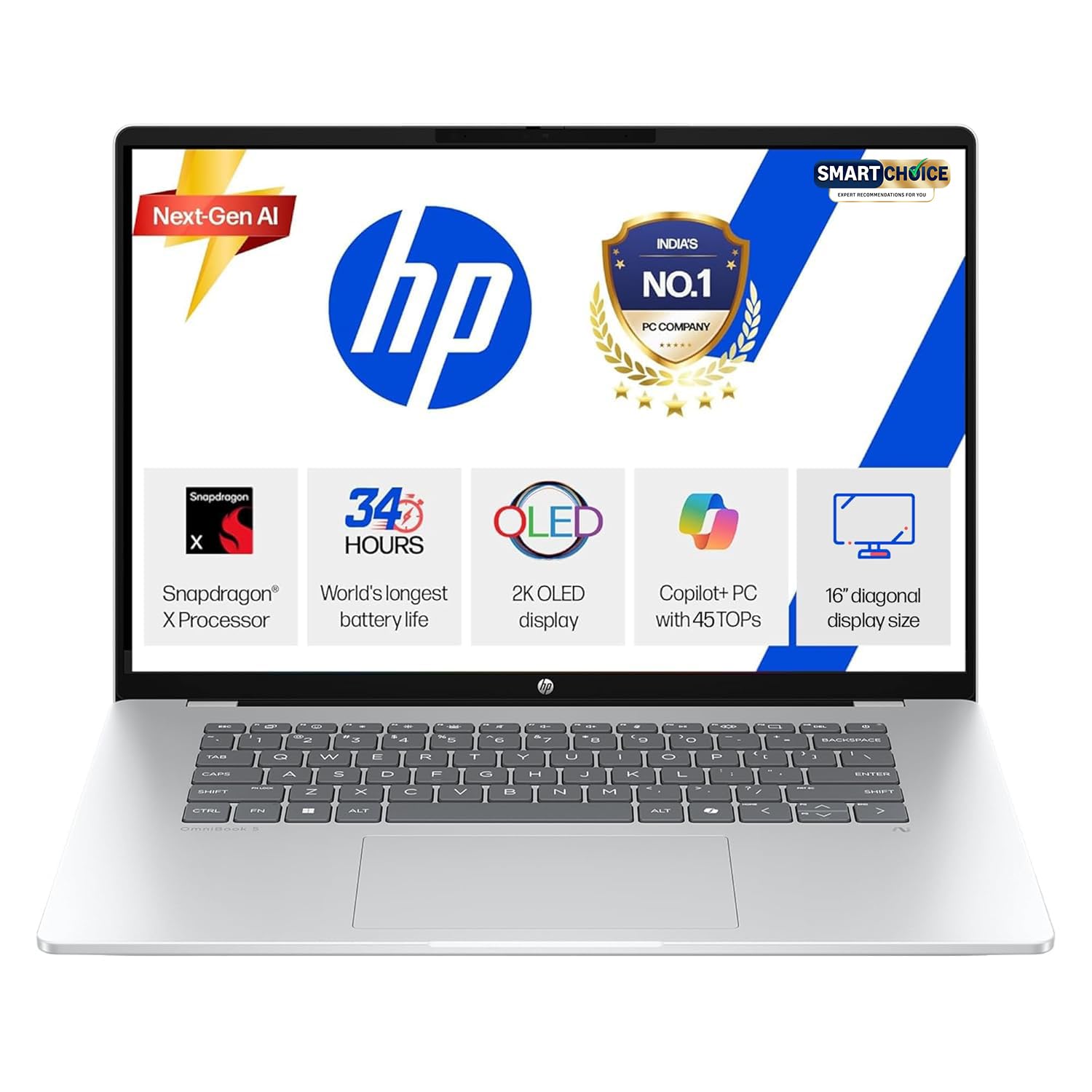
This is the outlier on the list because it runs a Qualcomm Snapdragon X ARM processor rather than an Intel or AMD chip, paired with 16GB LPDDR5x RAM and a spacious 1TB SSD, on a 16 inch 2K OLED display. ARM chips sip power compared to traditional x86 processors, and HP advertises multi day battery life on this model, which is genuinely rare in this price range.
Pros
- Excellent battery life thanks to the power efficient Snapdragon X chip
- Stunning 2K OLED display
- 1TB SSD, double the storage of most laptops on this list
- Runs cool and silent for most day to day tasks like web development, writing, and browser based work
Cons
- This is the important one: it runs Windows on ARM, so some developer tools that rely on x86 emulation, such as certain Docker images, Android Studio emulators, or older compiler toolchains, may run slower or occasionally hit compatibility issues
- Always check whether your specific stack (language runtimes, IDEs, VMs) has native ARM support before buying
- Not the right pick if your daily work depends on x86 only software
7. ASUS Vivobook 16 (X1607CA-MB142WS) – Best Future Ready Pick
This is the newest and most premium laptop on the list, built around an Intel Core Ultra 5 225H, a hybrid architecture chip with 14 cores, 16 threads, and a built in NPU rated up to 13 TOPS for AI accelerated tasks. It pairs this with 16GB of faster DDR5 RAM, a 512GB SSD, and a 16 inch WUXGA display.

Pros
- Latest generation Core Ultra 5 225H with a hybrid core design and 16 threads for multitasking
- Built in NPU accelerates AI powered developer tools and Copilot features
- Faster DDR5 memory, expandable up to 32GB
- Fast charging support, up to 60% battery in around 49 minutes
- Large 16 inch, 16:10 display with a solid 89% screen to body ratio
Cons
- The most expensive laptop on this list
- Still relies on integrated graphics, so no CUDA support for local machine learning training
- 60Hz panel like most others here, nothing exceptional for refresh rate
Which One Should You Actually Buy?
If you are a student or just starting to learn programming and mostly write and run small scripts, the Dell 15 offers 16GB of RAM at the lowest price on this list, which will take you further than the HP fc0154AU, which has an 8GB ceiling.
Incase if you are a working developer who runs Docker, multiple IDEs, and a browser full of tabs every single day, skip straight to the ASUS Vivobook 15 with the i5-13420H, or step up to the Lenovo with the i7-13620H if your work leans toward compiling large projects or running an emulator alongside everything else. If eye comfort during long sessions matters more to you than raw power, the ASUS Vivobook 16 OLED is worth the extra weight.
Frequent travellers or anyone who hates carrying a charger should look closely at the HP OmniBook 5, as long as they confirm their tools work fine on Windows on ARM first. And if you want the newest chip with AI acceleration built in and do not mind paying a premium, the ASUS Vivobook 16 with the Core Ultra 5 225H is the most future proof pick here.
If you are also setting up your workstation beyond just the laptop, our guide to the best tech accessories in 2026 covers chargers, stands, and organisers worth adding to your desk. And if you are shopping for a developer in your life, our roundup of best tech gadgets has a few more ideas beyond just laptops.
Frequently Asked Questions
Is 8GB RAM enough for coding in 2026?
It is enough for basic scripting, learning a language, or writing simple websites, but it gets tight quickly once you add Docker, an emulator, or a heavier IDE like Android Studio or a full JetBrains suite alongside a browser. If your budget allows it, 16GB is the safer choice.
Do I need a dedicated GPU for programming?
For most web, app, and backend development, no. A dedicated GPU only becomes important if you are training machine learning models locally, doing heavy graphics or game development work, or running GPU accelerated tools. All seven laptops here rely on integrated graphics, which is fine for the vast majority of coding tasks.
Is a Snapdragon (ARM) laptop good for coding?
It can be, especially for web development, scripting, and general productivity, and the battery life advantage is real. The caveat is compatibility. Some developer tools and older software built only for x86 processors may run through emulation or not run at all, so it is worth checking your specific toolchain before choosing an ARM laptop like the HP OmniBook 5.
H series or U series processor, which is better for coding?
H series chips, like the Core i5-13420H and i7-13620H used in several picks above, generally have more cores and higher sustained performance, which helps with compiling and multitasking. U series chips prioritise battery life and run cooler, which suits lighter workloads better.
There is no single best laptop for coding and programming that works for everyone, since a student writing their first Python scripts and a full stack developer running five Docker containers need very different machines. What matters is matching the RAM, processor class, and battery life to your actual workflow rather than chasing the biggest number on a spec sheet. Any of the seven laptops above will get real coding work done, so use the quick picks section to match one to how you actually work, check current pricing before you buy, and you should be set for the next few years.
I hope you are all well and that you find products you’re satisfied with. Please support us, and Best8Review is always with you.