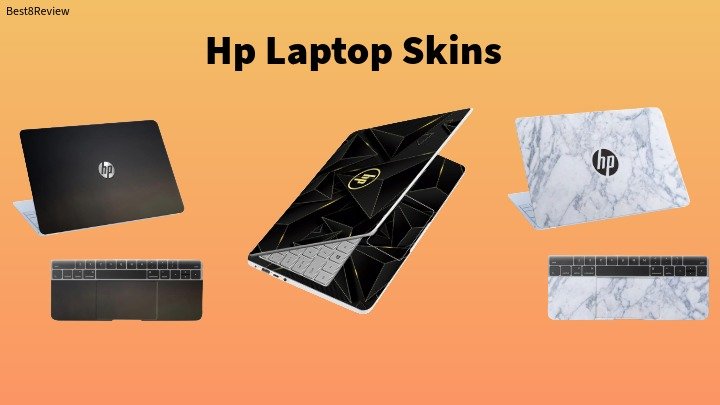
Here we choose hp laptop skins for you, If you own an HP laptop, a good skin is one of the easiest ways to give it a fresh look while keeping the actual body safe from scratches, dust and everyday wear. In this guide we tested and compared three of the most popular laptop skins for HP laptops available on Amazon India right now, looking at print quality, material, fit and how easy each one is to apply. Whether you want a bold pattern, a clean texture or something more artistic, there is an option here that will suit your HP Pavilion, Envy, Victus or any other HP model.
Affiliate Disclosure: This post contains Amazon affiliate links. If you buy through them, we may earn a small commission at no extra cost to you. This does not affect our opinions or recommendations.
Best Laptop Skins for HP Laptops
1. Galaxsia Laminated Vinyl Laptop Skin
This is one of the most well reviewed laptop skins for HP owners on Amazon India, and it is easy to see why. Galaxsia uses a laminated vinyl sheet that is thin, tough and finished with a glossy layer, which keeps the print sharp and adds a bit of water resistance. It is built specifically to fit HP, Dell, Sony, Lenovo and Asus laptops, so sizing is rarely an issue as long as you match it to your screen size.

- Laminated HD print quality that resists fading and dullness over time
- Removable adhesive that comes off cleanly without leaving a sticky residue
- Available across multiple sizes to match 13 inch, 14 inch, 15.6 inch and 17 inch HP laptops
- Vinyl material is thin enough to keep the original feel of the laptop lid
- Simple peel and stick application that takes only a few minutes
2. Namo Arts Full Body Laptop Skin
Namo Arts takes a slightly different approach with a full body kit that covers both the outer lid and the inner panel around the keyboard. The skin is printed on laminated eco vinyl using advanced printing technology, which gives it noticeably sharp colours even on detailed designs. It is a solid pick if you want your entire HP laptop, not just the lid, to match a single theme.

- Full body coverage with a separate outer skin and inner panel skin in the box
- Dustproof, waterproof, fade resistant and scratch resistant finish
- Universal fit for laptops up to 15.6 inches, covering most HP, Dell and Lenovo models
- Decal can be trimmed to fit smaller HP laptops without ruining the design
- Wide catalogue of patterns, from minimal textures to licensed style artwork
3. Galaxsia Pattern D42 Vinyl Laptop Skin
If your HP laptop is a 14 inch model, this Galaxsia pattern skin is built with that exact size in mind, so you get a closer fit straight out of the pack. It uses the same tough vinyl as the rest of the Galaxsia range, and because every unit is finished individually, small colour variations can occur, which actually gives each skin a slightly handmade feel.
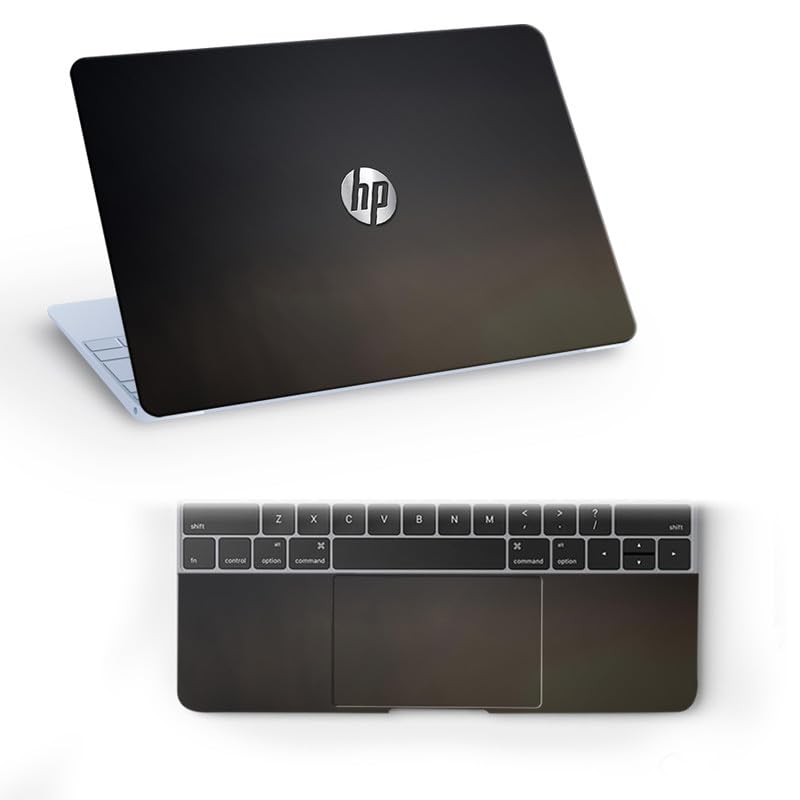
- Sized specifically for 14 inch HP laptops and notebooks at 13.8 x 9.6 inches
- Removable adhesive designed for easy peel off without residue
- High quality vinyl that stays thin and tough after repeated handling
- Can be trimmed with scissors or a blade for an exact fit on your model
- Budget friendly option if you want to try a skin without a big spend
Why Add a Skin to Your HP Laptop
A laptop skin is not just about looks. It also acts as a thin protective layer against dirt, minor scratches and dullness, which helps your laptop hold its resale value for longer. Since most skins are made from removable vinyl, you can change the design whenever you feel like it without leaving any permanent marks behind. If you carry your laptop to college, work or client meetings, a skin is also a simple way to make it instantly recognizable in a bag full of look alike devices. If you would rather browse a wider range first, our full buying guide to the best laptop skins in India covers ten more options across every laptop brand.
How to Choose the Right Skin for Your HP Laptop
Start by measuring the outer lid of your laptop rather than relying on the screen size alone, since bezel width varies between HP series like Pavilion, Envy and Victus. Most sellers list the skin dimensions in the product title, so match those numbers to your own measurements before you buy. Material matters too. Look for laminated vinyl, since the extra layer protects the print from sun exposure and daily scratches far better than a plain sticker. Finally, check whether the adhesive is described as removable, so you are not stuck with the same design forever or left with sticky marks if you decide to sell the laptop later.
How to Apply a Laptop Skin
- Wipe the laptop lid with a soft, dry cloth to remove dust, oil and grease
- Measure the applying area and trim the skin with scissors if it is slightly larger
- Peel back one edge of the liner and align the skin carefully before it touches the surface
- Press down slowly from the centre outward, smoothing it with a card to push out air bubbles
- Let it settle for a few hours before you close the lid or place the laptop in a bag
All three of these laptop skins for HP laptops do a solid job of protecting the lid while adding some personality to your device. The Galaxsia Laminated Vinyl Skin is the safest all round pick thanks to its size range and glossy finish, the Namo Arts Full Body Skin is worth the extra cost if you want complete coverage inside and out, and the Galaxsia Pattern D42 is a smart budget choice if you own a 14 inch HP laptop. If you are also thinking about how you carry your laptop day to day, take a look at our roundup of the best laptop bags in India, and if you are still deciding which HP laptop to buy in the first place, our review of the HP Victus 15 is a good place to start.
Follow Best8Review for more honest picks and deals like this one.