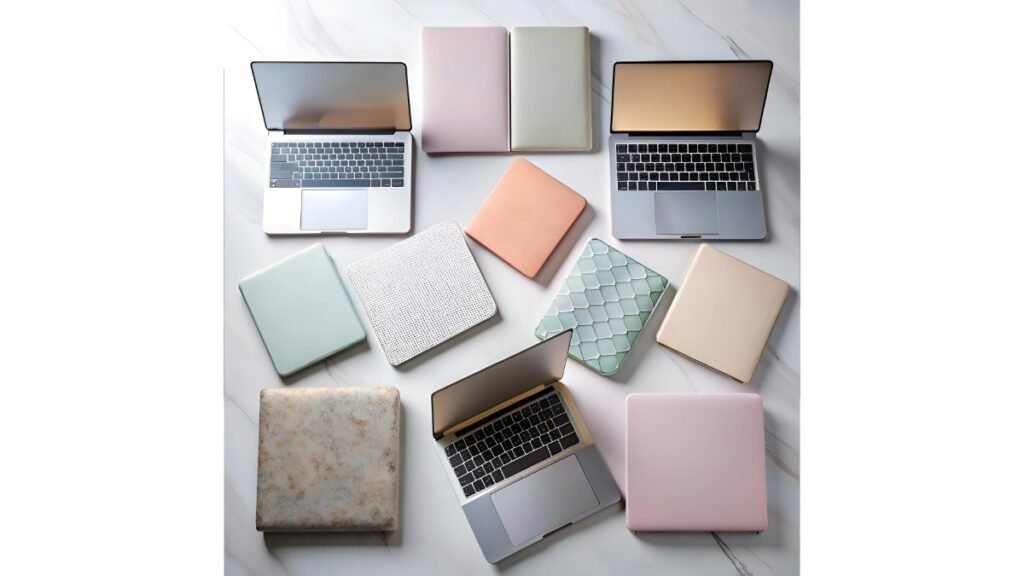
A laptop goes everywhere with you, so it picks up scratches, coffee rings and keyboard shine faster than most people expect. That is exactly why the best laptop skins have become such a popular fix. A good skin covers the lid and sometimes the palm rest in a thin layer of printed vinyl, so your device gets a fresh new look while the actual shell stays protected from daily wear.
If you already picked out your machine using our guide to the best laptops for coding and programming, a skin is one of the cheapest ways to keep that investment looking sharp for years. Below, we have rounded up 10 laptop skins currently listed on Amazon India, along with a full buying guide so you know exactly what to check before you order one.
Affiliate Disclosure: This post contains affiliate links. As an Amazon Associate, we earn from qualifying purchases at no extra cost to you. We only recommend products we believe add real value to readers.
What Makes a Laptop Skin Worth Buying
Before we get into the picks, here is what separates a decent skin from one that peels within a month.
- Material: Look for laminated vinyl rather than plain paper sticker material. Lamination adds a protective top layer that resists scuffing and fading.
- Adhesive quality: A self adhesive backing should go on without trapping air bubbles and should come off cleanly if you ever want to remove it, without leaving sticky residue.
- Print finish: HD or UV printing keeps colours accurate and prevents the design from washing out after a few months of sunlight and handling.
- Size and coverage: Most skins are cut for laptops up to 15.6 inches and need light trimming for smaller 13 or 14 inch models, so check the exact panel size before buying.
- Extra protection: Dustproof, waterproof and scratchproof claims matter more than the artwork itself if you actually carry your laptop in a bag daily.
10 Best Laptop Skins on Amazon India
1. Namo Arts Full Body Laptop Skin (Porsche 911 GT3 RS, Silver)

Namo Arts is one of the more established names in this category, and this particular skin is printed on laminated eco vinyl using EPSON print technology. It is built to be dustproof, waterproof, fade resistant and scratch resistant, and fits laptops up to 15.6 inches from Dell, HP, Lenovo, Acer and Asus. The pack includes a full outer panel plus an inner panel for the palm rest area, and reviewers frequently mention that the glue holds well without leaving marks if removed carefully.
2. Namo Arts Sticker Laminated Skin (Second Edition)

A second option from the same brand, aimed at buyers who want a different artwork style while keeping the same laminated vinyl build and universal compatibility with Dell, HP, Lenovo, Acer and Asus laptops. It follows the same trim to fit approach, so smaller 13 or 14 inch laptops may need a bit of careful cutting after application.
3. Inkykart Full Body Laptop Skin (HD Laminated)
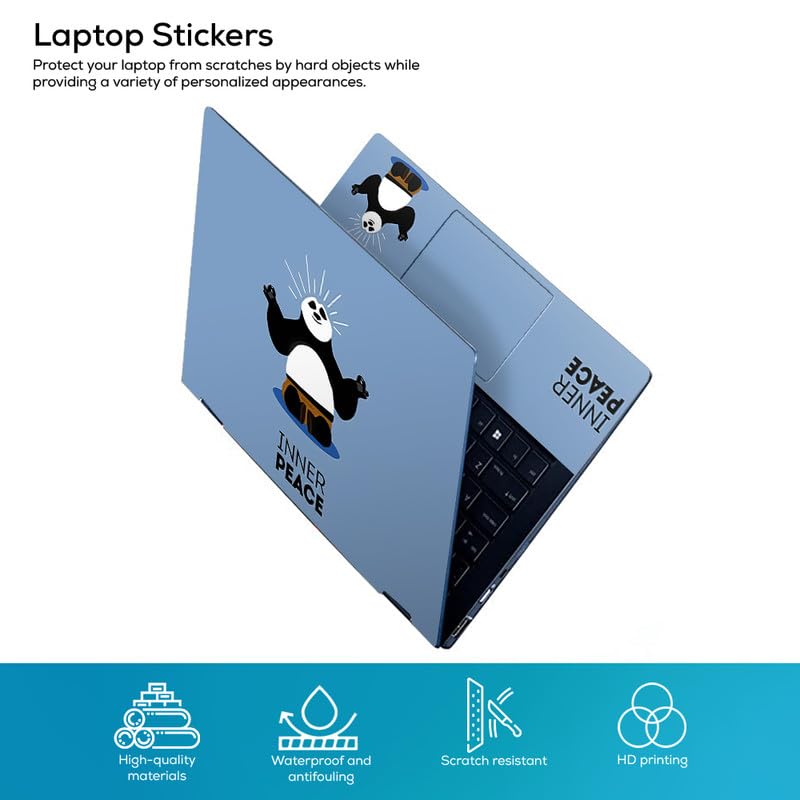
Inkykart runs a large catalogue of designs, from anime prints to abstract patterns, and this listing covers the brand’s full body skin format. It is marketed as bubble free and removable, with compatibility across Hp, Dell, Sony, Lenovo and Asus laptops up to roughly 15.6 inches. The peel and stick application is aimed at first time users, and the laminate finish is meant to guard against light scratches from bag straps and zippers.
4. PIXELARTZ Sticker Laminated Skin (Self Adhesive)

PIXELARTZ is known for pop culture and gaming inspired artwork, and this self adhesive skin follows the same laminated build as the others on this list. It works well for anyone who wants a bolder, more graphic look on the lid rather than a subtle pattern, and it is compatible with the usual range of Dell, HP, Lenovo, Acer and Asus laptops.
5. Starry Laptop Sticker (Reusable Protector)

This one is aimed at buyers who want a lighter, more minimal night sky style design rather than a full graphic wrap. It is described as reusable, so it is a reasonable pick if you like to switch designs occasionally rather than commit to one skin for years, though reusable variants generally offer thinner protection than a laminated full body skin.
6. NoWorries Laptop Skin (Easy Removable, Dustproof)

NoWorries positions this skin around low risk application, meaning it is meant to go on and come off without damaging the laptop’s paint or finish underneath. It is built to be dustproof, which is genuinely useful if you often work in a dusty room or carry your laptop without a sleeve.
7. Full Body UV Printed Premium Laptop Skin (Design A)

A UV printed option that leans on richer colour saturation than standard inkjet printed skins. UV printing tends to hold up better under direct sunlight, so this is worth considering if your laptop sits near a window or you work outdoors often. It is compatible with Dell, HP, Lenovo, Acer and Asus laptops in the common 14 to 15.6 inch range.
8. Full Body UV Printed Premium Laptop Skin (Design B)

Same premium UV printed build as above, listed separately for buyers who prefer a different pattern. It shares the removable, dustproof leaning specs common across this product family, making it a safe budget pick if you mainly care about covering scuffs rather than a specific artwork theme.
9. Full Body UV Printed Premium Laptop Skin (Design C)

A third design from the same UV printed lineup. If none of the earlier patterns match your taste, it is worth scrolling through this listing’s full design catalogue, since sellers in this category often bundle dozens of artwork options under one product page.
10. Full Body UV Printed Premium Laptop Skin (Design D)

The last pick in the UV printed family rounds out this list for buyers who want maximum choice before deciding. As with the others in this range, check the product images carefully for the exact panel size before ordering, since laptop lids vary slightly between brands even at the same screen size.
How to Apply a Laptop Skin Without Bubbles
Application quality matters just as much as the product itself. A few habits make a real difference to the final result.
- Clean the lid with a dry microfibre cloth first, since dust under the skin is the main cause of bubbles.
- Peel the backing slowly and align one edge first rather than dropping the whole sheet at once.
- Use a card or ruler to push air out from the centre toward the edges as you go.
- If a stubborn bubble appears, a hair dryer on low heat softens the vinyl enough to smooth it out.
- Trim any overhang with a sharp blade held flat against the edge, rather than at an angle.
If you are shopping for more than just a skin, our guide to the best tech accessories covers stands, sleeves and cleaning kits that pair well with a fresh laptop skin.
Frequently Asked Questions
Do laptop skins damage the original finish?
A properly made vinyl skin with a removable adhesive should not damage the paint or coating underneath, as long as it is peeled off slowly rather than pulled quickly. Cheaper stickers with aggressive glue are more likely to leave a mark, so removable and residue free claims are worth checking before you buy.
Will a skin fit any laptop size?
Most listings are cut for laptops up to 15.6 inches, with extra material meant to be trimmed for 13 or 14 inch models. Always check the exact decal dimensions in the listing against your laptop’s lid measurements before ordering.
How long does a laminated skin last?
A good laminated vinyl skin typically holds its colour and edges for one to two years of daily use, though this depends heavily on how often the laptop is handled, exposed to sunlight, or carried without a sleeve.
Can I remove and reapply a laptop skin?
Skins marketed as removable can usually be repositioned once or twice during the initial application, but they are not designed for repeated removal and reuse across multiple sessions, since the adhesive weakens each time it is lifted.
There is no single best laptop skin for everyone, since the right pick really comes down to your laptop’s size, how much artwork variety you want, and whether you value UV resistant printing over a lower price. Namo Arts and Inkykart stand out for build quality and catalogue size, while the UV printed budget options are a fair choice if you mainly want scratch protection without spending much. Whichever one you choose, taking a few extra minutes during application will make the biggest difference to how it looks a year from now.